
Why Creators and Gamers Choose iTop Screen Recorder for Daily Use
 Ben
Ben 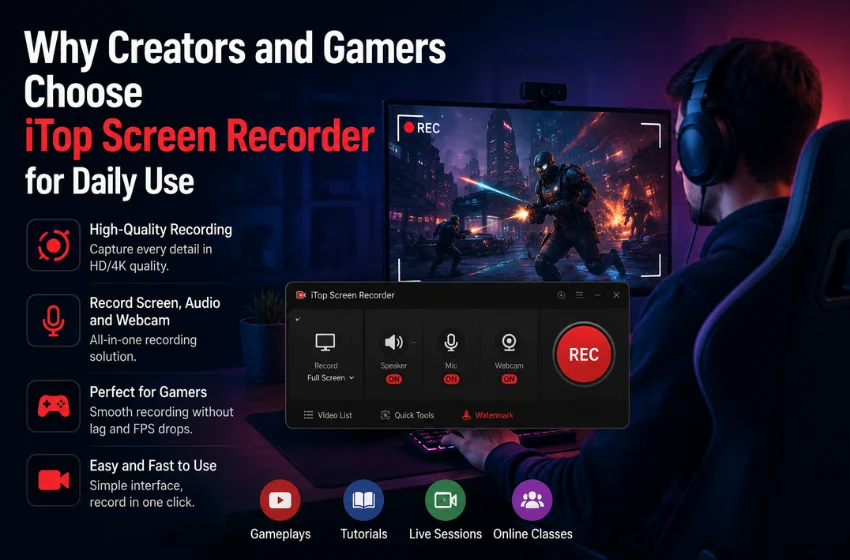
For creators and gamers, recording has become a daily activity. Tutorials need publishing, gameplay moments should be captured, and live sessions often require saving for later use. In this context, reliability is more important than complexity.
A recording tool that works well every day is more valuable than one loaded with features that slow things down. This is one reason many users stick with iTop Screen Recorder as part of their routine.
Built for Fast and Flexible Recording
iTop Screen Recorder captures screen activity, gameplay, webcam footage, and audio all in one place. Users can record full-screen sessions, specific windows, or selected areas based on their needs.
For gamers, this flexibility is vital. Fast-moving gameplay demands stable recording performance that won’t disrupt the experience. Capturing highlights, walkthroughs, or competitive matches is easier when the recorder runs smoothly in the background.
Creators benefit differently. Tutorials, software demonstrations, and educational videos often require clear visual explanations. Being able to record sharp video with synchronized audio helps creators make professional-looking content without complicated editing.
Why Daily Users Need Simplicity
When a tool is used every day, even small issues can become frustrating. Slow setup, confusing controls, or inconsistent recording quality can break productivity.
iTop Screen Recorder aims to keep the workflow simple. Users can launch the software, select recording settings, and start within moments. This speed is especially important for creators on tight schedules or gamers wanting to capture spontaneous moments quickly.
The software also supports audio recording from microphones and system sound, allowing commentary and in-game audio to stay balanced and clear. This cuts down on extra adjustments later.
Supporting Different Types of Creative Work
Content creators use screen recording for a range of purposes. Many educators create online lessons through recorded demonstrations. Business professionals record presentations and training sessions for remote teams. Marketers produce product tutorials that visually explain features instead of relying solely on text.
Gamers often turn recorded gameplay into highlight videos, strategy guides, or livestream clips for social media. Recording becomes more than just documentation—it transforms into part of content creation.
iTop Screen Recorder fits into all these scenarios by providing practical recording tools without overwhelming users.
How to Use iTop Screen Recorder
- Install and open iTop Screen Recorder
- Select the recording mode and screen area
- Enable microphone, webcam, or system audio if needed
- Start recording your gameplay, tutorial, or presentation
- Stop the recording and save or edit the video
The process remains quick and manageable, even for beginners.
More Than a Recording Tool
The best creative tools are often the ones users stop thinking about. They blend into the workflow instead of distracting from it. iTop screen recorder succeeds because it enables creators and gamers to focus on their content rather than technical setups.
By offering smooth performance, flexible recording options, and user-friendly controls, it supports the consistent work that modern digital content demands. For anyone recording videos regularly, whether for gaming, education, or creative projects, it provides a reliable solution that fits seamlessly into everyday use. For more udates and idaes visit Mindslfip.